

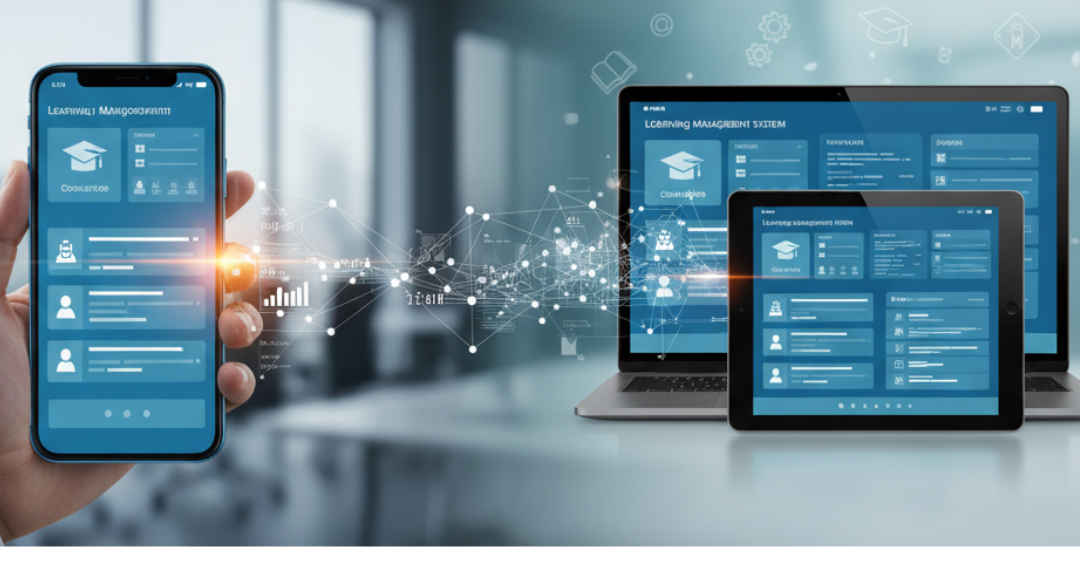
We live in a world that never slows down, and our phones go everywhere with us. From scrolling through messages to catching up on news—or even learning something new—mobile devices are now the first place we turn. This shift has changed the way we work and learn, especially in education and corporate training.
Learning Management Systems (LMS) can’t afford to stay stuck in the desktop age. If organizations want their learners to stay engaged and actually complete courses, thinking mobile-first isn’t just smart—it’s essential.
Understanding Mobile-First Design
Mobile-first design is a strategy where the design and development of a website or application prioritize mobile devices before scaling up to larger screens like tablets and desktops. This approach ensures that the user experience is optimized for the most commonly used devices, which, in the case of LMS platforms, are smartphones and tablets.
Why Mobile-First Matters for LMS
Enhanced Accessibility
A mobile-first LMS allows learners to access training materials anytime and anywhere. Whether they’re commuting, traveling, or working remotely, learners can engage with content on their mobile devices without being tied to a desktop. This flexibility leads to increased participation and completion rates.
Improved Engagement
Mobile devices offer unique features like touch interfaces, push notifications, and location services, which can enhance learner engagement. Interactive elements such as quizzes, videos, and gamified content are more effective on mobile platforms, keeping learners motivated and involved.
Better User Experience
Designing with mobile users in mind ensures that the LMS is intuitive and user-friendly. Mobile-first design emphasizes simplicity, speed, and responsiveness, providing a seamless experience across various devices. This approach reduces friction and enhances learner satisfaction.
Cost-Effectiveness
Implementing a mobile-first LMS can lead to cost savings for organizations. With mobile learning, there’s no need for travel, venue rental, or printing materials. Additionally, many mobile platforms are scalable, meaning businesses can easily expand their learning programs without incurring significant additional costs.
Continuous Learning Opportunities
In today’s fast-paced work environment, learning doesn’t stop at onboarding. A mobile-first LMS enables continuous learning by providing employees with instant access to training materials and performance support whenever they need it. Whether it’s a refresher course or just-in-time learning for a specific task, mobile-first platforms allow employees to stay updated and equipped with the skills they need, right at the point of need.
Key Features of a Mobile-First LMS
To get the most out of a mobile-first LMS, certain features are very important:
- Responsive Design: The LMS should work well on any device, like phones, tablets, or computers. The layout and buttons should adjust automatically, so learners can use it easily anywhere.
- Offline Access: Learners can download lessons and access them without the internet. This way, learning can continue even on the go, and progress will update once back online.
- Push Notifications: Mobile alerts remind learners about new courses, deadlines, or updates. This keeps them on track and helps complete courses on time.
- Interactive Content: Videos, quizzes, and simple games make learning fun and easier to remember. Interactive lessons keep learners interested and active.
- Gamification: Badges, points, and leaderboards can motivate learners. Small rewards make learning more exciting and encourage participation.
- Progress Tracking: Learners and teachers can see how much has been completed and what needs more attention. This helps everyone stay organized and improve results.
- Social Learning: Chat, discussion boards, and group tasks let learners connect and help each other. It makes learning more social and engaging.
Challenges in Implementing Mobile-First LMS
While the advantages are clear, transitioning to a mobile-first LMS comes with its challenges:
- Device Compatibility: Ensuring the LMS functions seamlessly across a wide range of devices and operating systems can be complex.
- Data Security: Protecting learner data on mobile platforms requires robust security measures to prevent breaches.
- User Training: Learners and administrators may need training to effectively use the mobile-first LMS, especially if it’s a significant departure from traditional systems.
Best Practices for Mobile-First LMS Design
To overcome these challenges and maximize the benefits of a mobile-first LMS, consider the following best practices:
- User-Centered Design: Prioritize the needs and preferences of learners to create an intuitive and engaging platform.
- Regular Testing: Continuously test the LMS on various devices to identify and resolve issues promptly.
- Feedback Mechanisms: Implement channels for learners to provide feedback, helping to improve the LMS over time.
- Continuous Updates: Regularly update the LMS to incorporate new features, content, and security enhancements.
Conclusion
In conclusion, adopting a mobile-first design for LMS platforms is no longer optional but a necessity in the modern learning landscape. It offers enhanced accessibility, improved engagement, better user experience, cost-effectiveness, and continuous learning opportunities. By embracing mobile-first design principles and incorporating essential features, organizations can provide learners with a flexible and effective learning environment that meets their needs and expectations. As the mobile learning market continues to grow, staying ahead of the curve with a mobile-first LMS will ensure that organizations remain competitive and deliver impactful learning experiences.